
Your Next.js build passes locally but Vercel keeps saying "We encountered an internal error"? No useful logs, no stack trace, just a red screen. I hit this three times in a row. Here's what actually caused it and the one-line fix.
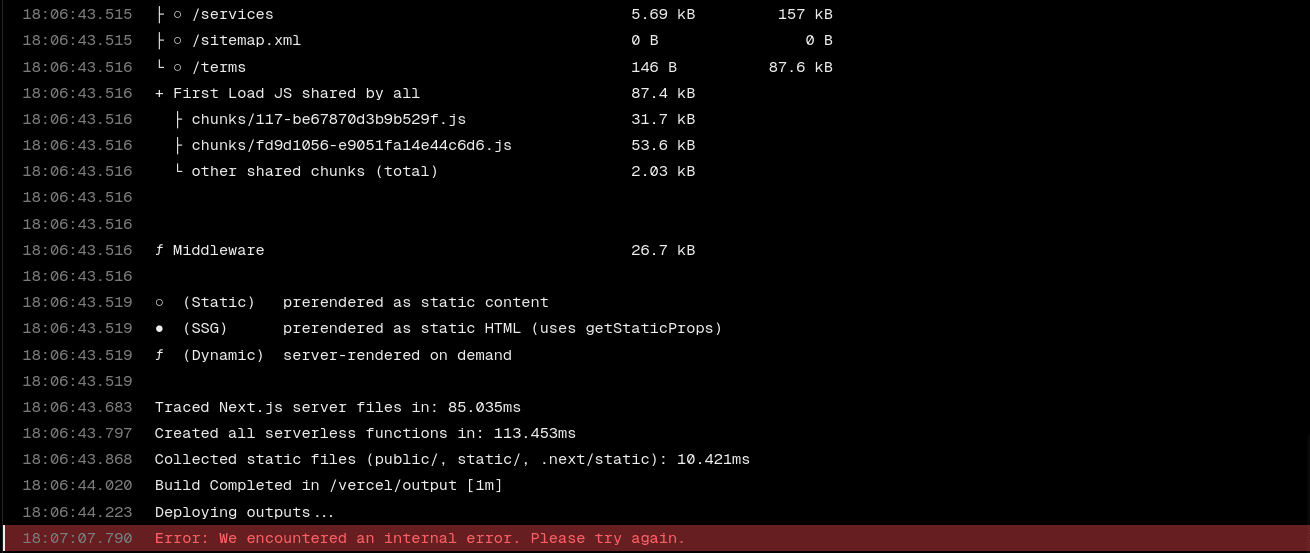
I pushed a commit. Vercel started deploying. npm install ran fine. next build compiled successfully. Everything looked green. Then during the "Deploying Outputs" phase, it just died:
Error: We encountered an internal error. Please try again.No stack trace. No helpful logs. Just that one line. I redeployed. Same thing. Redeployed again. Same thing. Three failures in a row.
The build logs showed everything completing fine—install, compile, route generation—then crashed right at the output deployment step:
Running build in Washington, D.C., USA (East) – iad1
Cloning github.com/... (Branch: main, Commit: 8bc30e9)
Installing build runtime...
Build runtime installed: 5.021s
...
added 508 packages in 32s
Detected Next.js version: 14.2.35
Running "next build"
  ▲ Next.js 14.2.35
   Creating an optimized production build ...
 ✓ Compiled successfully
# Deploying Outputs... FAILS HERELocal build: Ran npm run build locally. Passed clean. Zero errors. So the code was fine.
Removed output: 'standalone': I had output: 'standalone' in my next.config.js. This bundles the entire Node.js runtime into the build output—useful for Docker, but unnecessary on Vercel. Vercel already provides the runtime. Removed it thinking it might be causing an OOM during build. Didn't fix the deploy.
Cleared build cache and redeployed: Nope.
Found the answer in a Vercel community thread. The issue was a Vercel platform incident affecting specific regions—in my case, the Dubai region (dxb1).
Here's the thing most people don't know: if your Next.js app uses middleware (a middleware.ts file), Vercel deploys that middleware as an Edge Function to every region globally by default. Even if your serverless functions run in one region, middleware gets pushed everywhere.
So if any region has an active incident, your entire deployment fails. Your code is fine. Your build is fine. But one broken region on the other side of the world kills your deploy.
⚠ TL;DR
Middleware = Edge Function = deploys to ALL regions by default. One broken region = your whole deploy fails. Even if your build is in iad1 (Virginia), middleware still tries to deploy to dxb1, hnd1, cdg1, and every other region.
This wasn't just me. Vercel confirmed an active incident affecting the Dubai region (dxb1) starting at 5:00 AM UTC on March 2, 2026. Here's the timeline from their status page:
The community thread blew up with people from Germany, Brazil, the US — all hitting the same error. Some solved it by removing middleware entirely. The proper fix is restricting regions.
Add a regions field to your vercel.json to tell Vercel exactly where to deploy your Edge Functions and middleware:
{
  "buildCommand": "next build",
  "framework": "nextjs",
  "regions": ["iad1"]
}
That's it. One line: "regions": ["iad1"]. This tells Vercel to only deploy middleware/Edge Functions to Virginia (US East). No more global scatter. No more broken regions killing your deploy.
You can pick whichever region makes sense for your audience. Common options:
iad1 — Washington D.C. / Virginia (US East)sfo1 — San Francisco (US West)cdg1 — Paris (Europe)hnd1 — Tokyo (Asia)syd1 — Sydney (Australia)You can also specify multiple regions if you need edge presence in more than one location:
"regions": ["iad1", "cdg1", "hnd1"]Some people in the community thread fixed it by deleting their middleware.ts entirely. That works, but it's not a solution—it's a workaround that removes functionality. If your middleware handles auth, redirects, headers, or geolocation, you need it.
The regions field is the correct fix. It keeps your middleware running, just limits where it deploys. Your users won't notice a difference unless they're specifically in the excluded region.
output: 'standalone' on VercelWhile debugging this, I also removed output: 'standalone' from my next.config.js. This wasn't the cause of the deploy failure, but it's still worth doing if you're on Vercel:
standalone bundles the Node.js runtime into your output—meant for Docker/self-hosted setups.// next.config.js
// REMOVE this if deploying to Vercel:
// output: 'standalone',
/** @type {import('next').NextConfig} */
const nextConfig = {
// No output field needed on Vercel
compress: true,
// ... rest of your config
}
module.exports = nextConfignpm run build works fine)middleware.ts file in your project rootregions field in your vercel.json| Problem | Cause | Fix |
|---|---|---|
| "Internal error" on deploy | Middleware deploys globally; broken region kills it | Add regions to vercel.json |
| Slow/large builds on Vercel | output: 'standalone' bundling Node.js runtime | Remove standalone output |
If you're hitting this, add the regions field, push, and redeploy. Should go through immediately.
Need help with Vercel deployments, Next.js infrastructure, or anything networking/DevOps? Let's talk.
$ ssh osama@consult →